Hosted Checkout
The hosted checkout is a Malipopay payment page that carries your business name, logo and colour. You send a payer to it by link, place it inside your own page, or open it as a popup over your page. The payer pays by card or mobile money, and Malipopay sends them back to your site with the result.
You write no payment UI and hold no card data. Card numbers are typed into fields the bank hosts, so they never reach your page, your servers or Malipopay's.
The malipopay_checkout package opens this same page inside your app with one call. See Hosted Checkout in Flutter.
Environments
| UAT (sandbox) | Production (live) | |
|---|---|---|
| Checkout page | https://demo.malipopay.co.tz/c/{checkoutId} | https://app.malipopay.co.tz/c/{checkoutId} |
| Embed script | https://demo.malipopay.co.tz/embed/checkout.js | https://app.malipopay.co.tz/embed/checkout.js |
| API for verification | https://core-uat.malipopay.co.tz | https://core-prod.malipopay.co.tz |
| Money moves | No | Yes |
Each copy of the embed script opens the checkout of its own environment, so the script you load decides where the payer pays.
1. Create a checkout
In the Malipopay dashboard open Settings > Checkout and create a checkout. A checkout is a saved configuration, and its id is what every link and embed refers to. You can keep several, for example one for your web shop and one for your app.
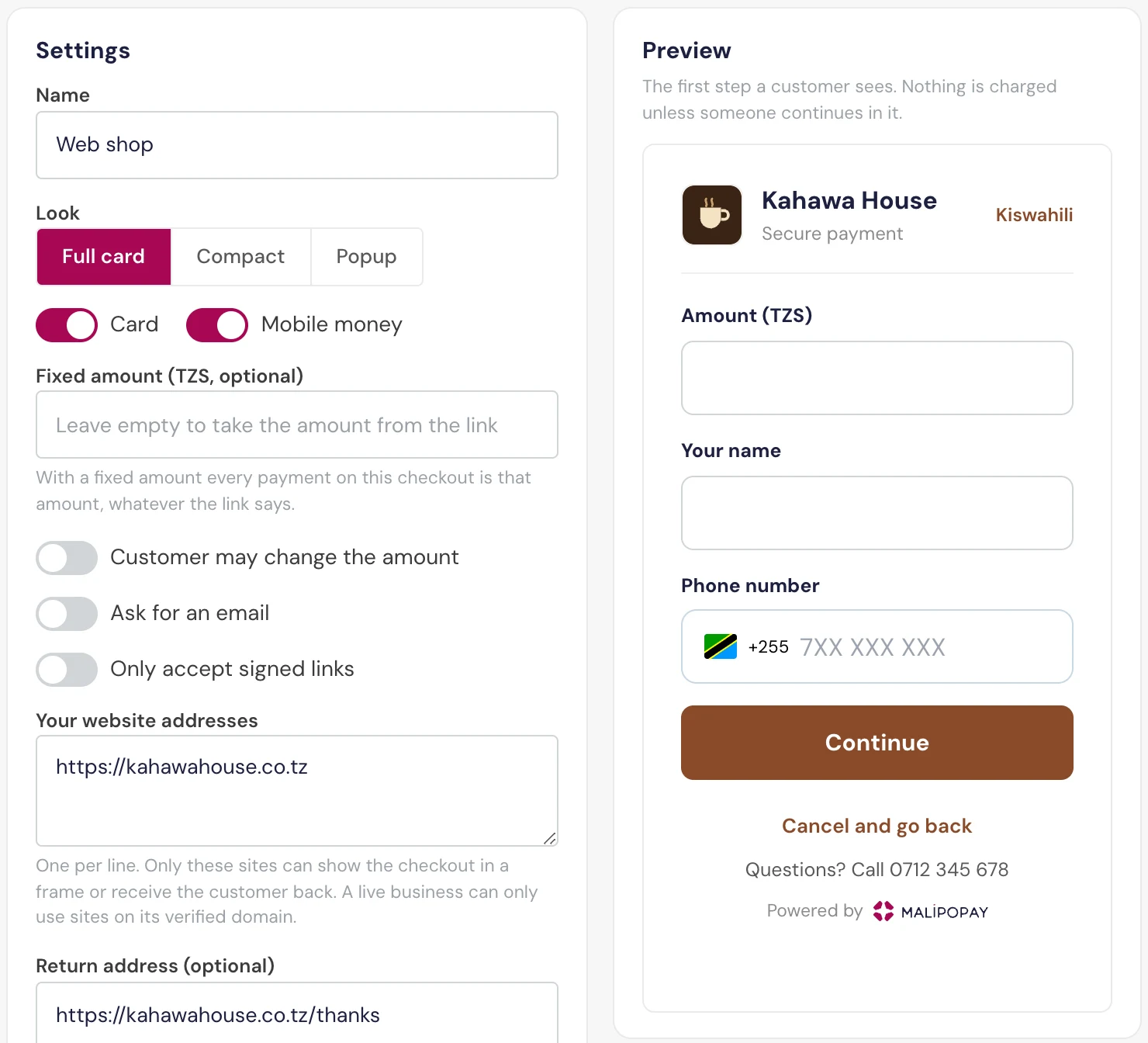
| Setting | What it does |
|---|---|
| Name | For you; payers do not see it. |
| Look | Full card, Compact or Popup. See Choose a look. |
| Card, Mobile money | Which payment methods the payer can use. Both are on by default. |
| Fixed amount | Every payment on this checkout is this amount, whatever the link says. |
| Customer may change the amount | Lets the payer type the amount. |
| Ask for an email | Adds an email field for the payer. |
| Only accept signed links | The checkout refuses any link your server did not sign. See Signed links. |
| Your website addresses | Up to 10 sites (for example https://shop.example.com), one per line, that may frame the checkout and receive the payer back. A live business may only add sites on its verified website domain. |
| Return address | Where the payer goes after paying. Must be on one of your website addresses. Leave it empty to show the Malipopay receipt. |
| Description | The line shown under the amount when the link does not send one. |
| Branding | Name shown, logo, colour and support line. See Colours and branding. |
When you save a new checkout the dashboard shows its signing secret once. Store it on your server. New signing secret issues a new one, and links signed with the old secret stop working at once. The signing secret is not your API key, and neither belongs in a browser or an app.
Switching Checkout on off stops every link and frame that uses it immediately.
Choose a look
The look decides how the page is drawn. How the payer reaches it (a link, a frame in your page, or a popup) is decided by your code in step 2, so pick the look that suits the place you will show it.
- Full card
- Compact
- Popup
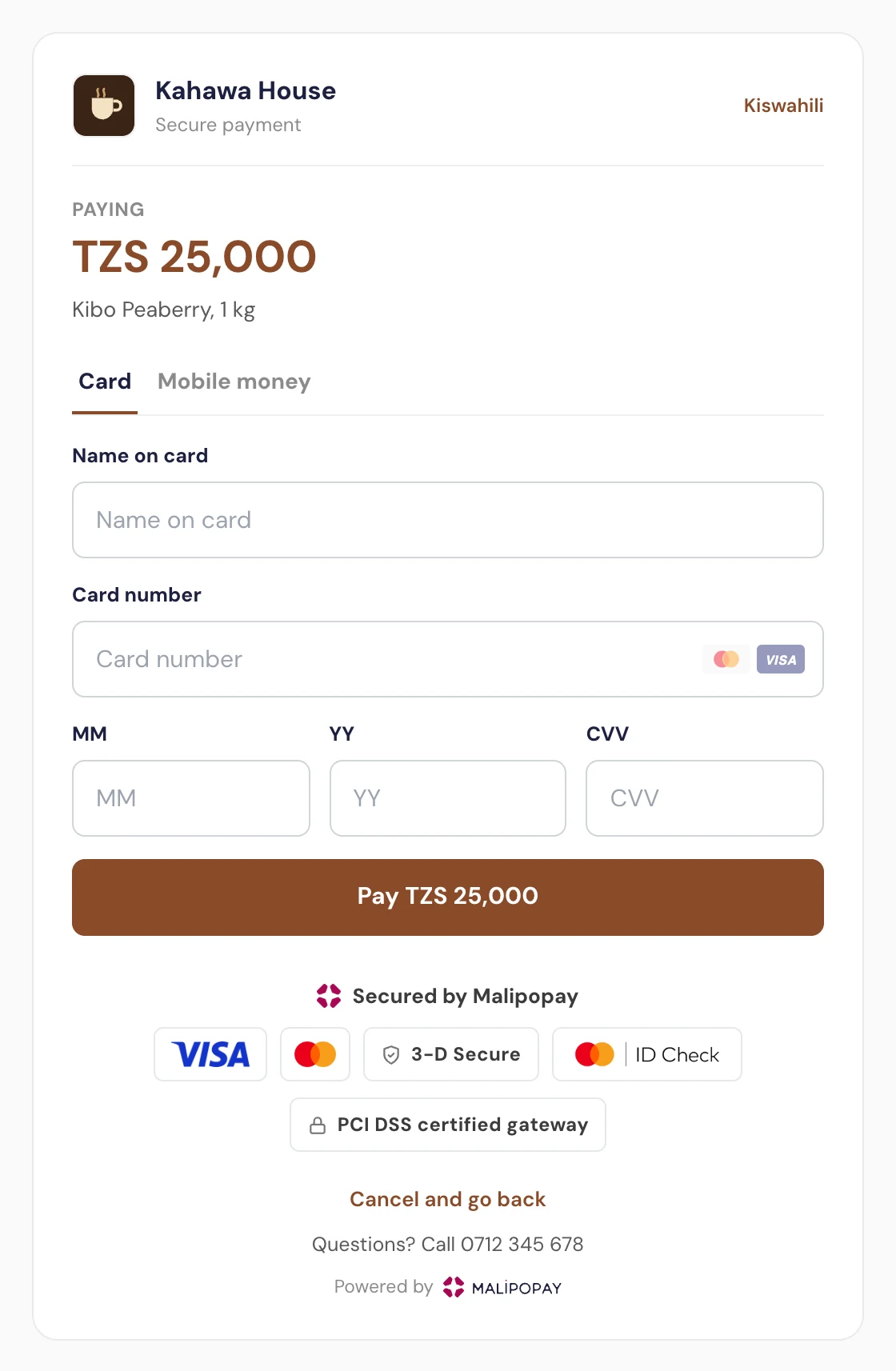
#8A4B2A.Your logo and name at the top, then the amount, the description and the payment methods. Use it for links (SMS, email, WhatsApp, a "Pay now" button that redirects) and for frames wide enough to show a header.
https://app.malipopay.co.tz/c/{checkoutId}?amount=25000&order=KH-1042
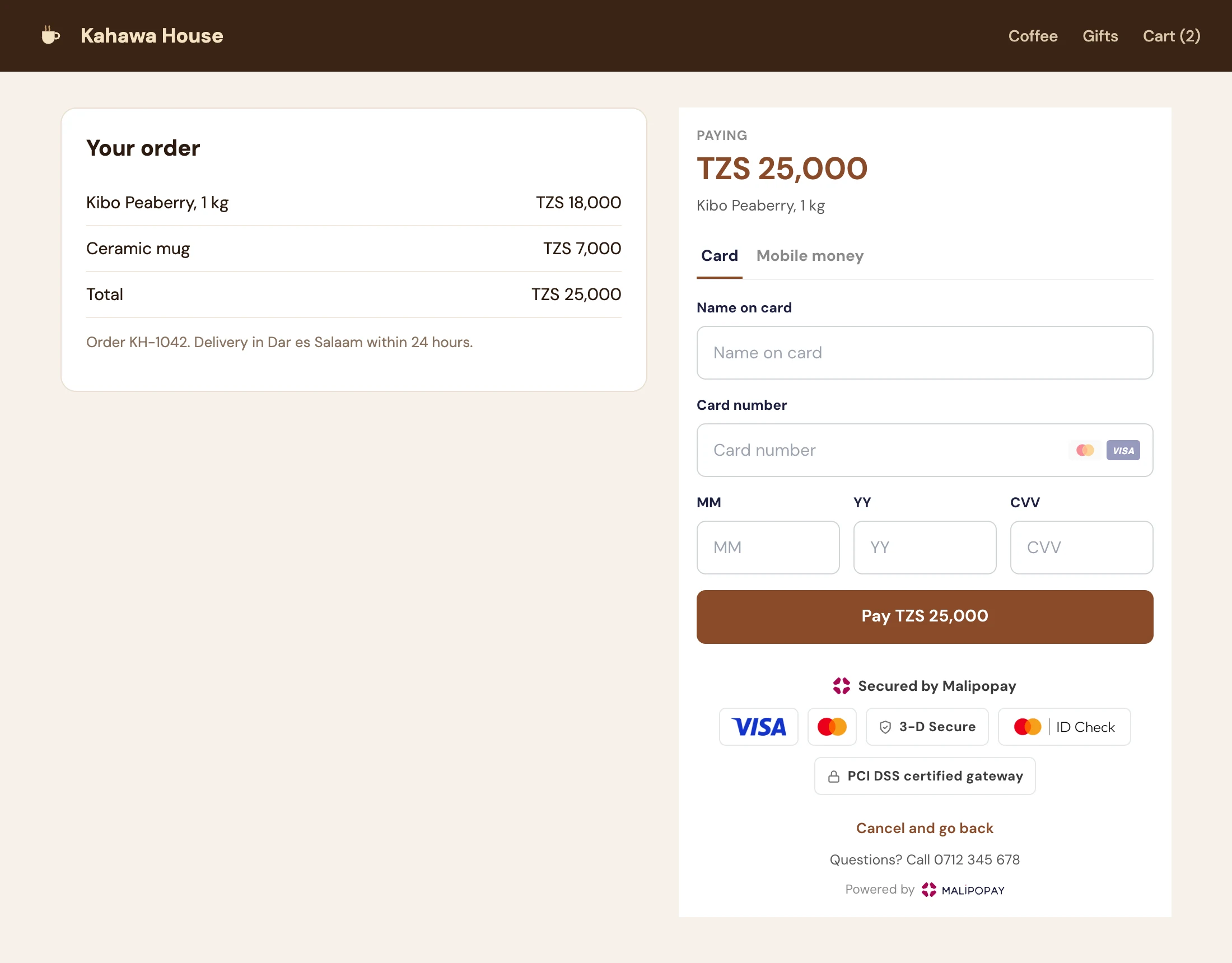
The form only: no header, because your page around it already shows who is being paid. Use it inside your own page, especially in a narrow column.
Malipopay.checkout.mount({
  integration: 'YOUR_CHECKOUT_ID',
  container: '#pay',
  amount: 25000,
  order: 'KH-1042',
});
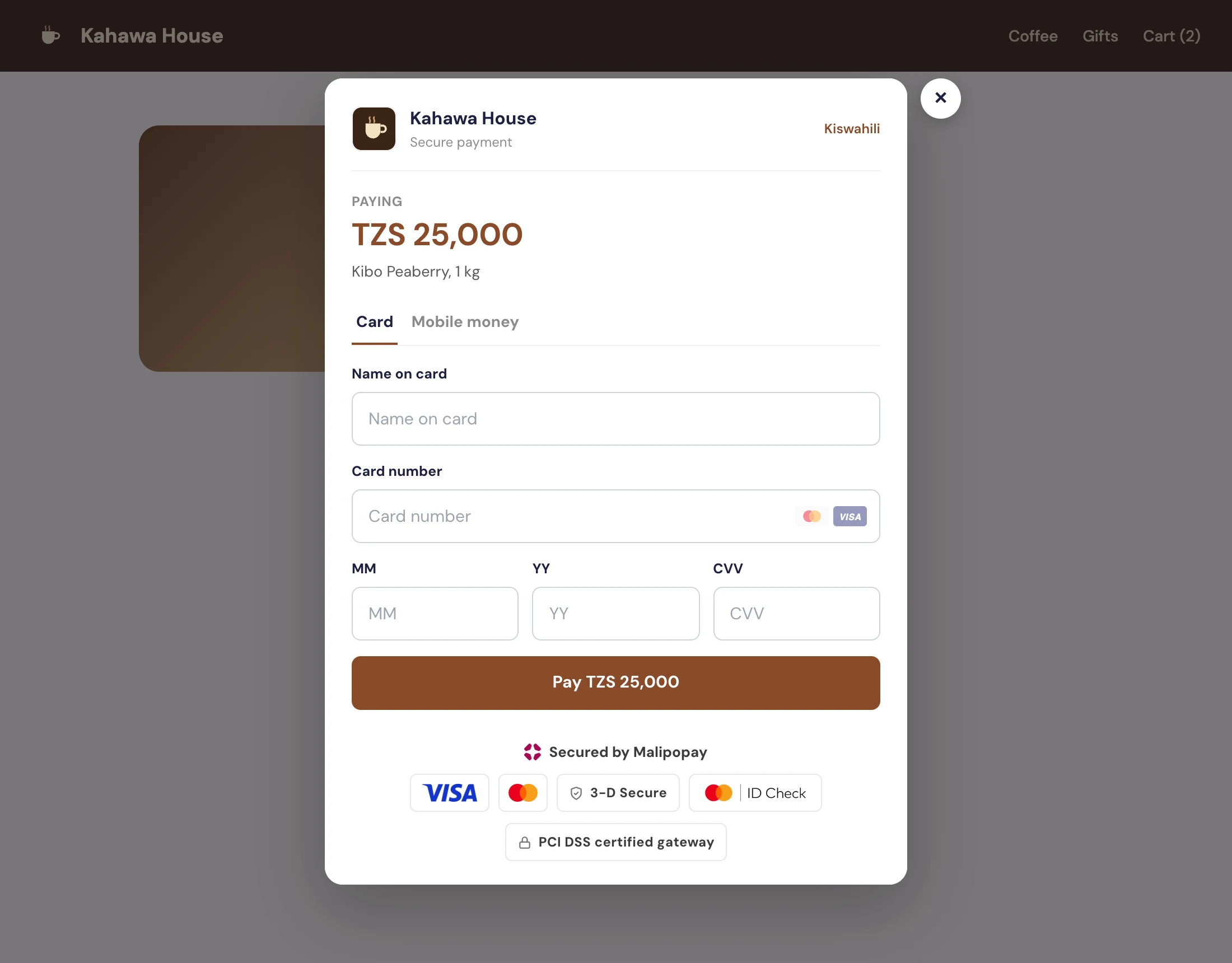
The full card in a window over your page, which is dimmed behind it. Use it for a "Buy now" or "Pay" button. On a phone it takes the whole screen.
document.querySelector('#buy').onclick = () =>
  Malipopay.checkout.open({
    integration: 'YOUR_CHECKOUT_ID',
    amount: 25000,
    order: 'KH-1043',
  });
| You want | Look | Open it with |
|---|---|---|
| A payment link in an SMS, email, invoice or chat | Full card | The link |
| A checkout step inside your cart or order page | Compact | Malipopay.checkout.mount |
| A "Buy now" button on a product page | Popup | Malipopay.checkout.open |
| Payments inside a Flutter app | Full card | malipopay_checkout |
Colours and branding
The Branding part of the settings decides how the checkout carries your brand.
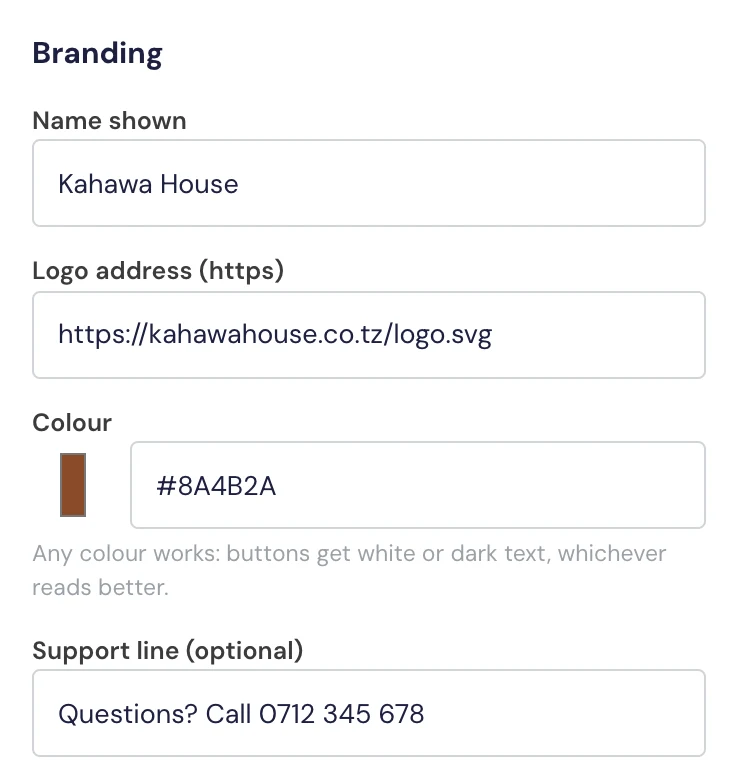
| Field | What it does | When empty |
|---|---|---|
| Name shown | The name at the top of the Full card and Popup looks, and on the success message. Up to 80 characters. | Your business name |
| Logo address (https) | A square image (PNG, SVG or JPG) at an https address, shown at 40 by 40 pixels beside the name. | Your business logo |
| Colour | Any colour, as #RRGGBB. Pick it with the colour picker or paste your brand's hex code. | Malipopay pink (navy when white label is on) |
| Support line | One line under the form, for example Questions? Call 0712 345 678. Up to 140 characters. | Nothing is shown |
The colour paints the pay and continue buttons, the amount, the line under the chosen payment method, the links (the language switch and Cancel and go back) and the mobile money confirmation. Labels, fields and the card security strip stay neutral, so the page reads the same for every brand.
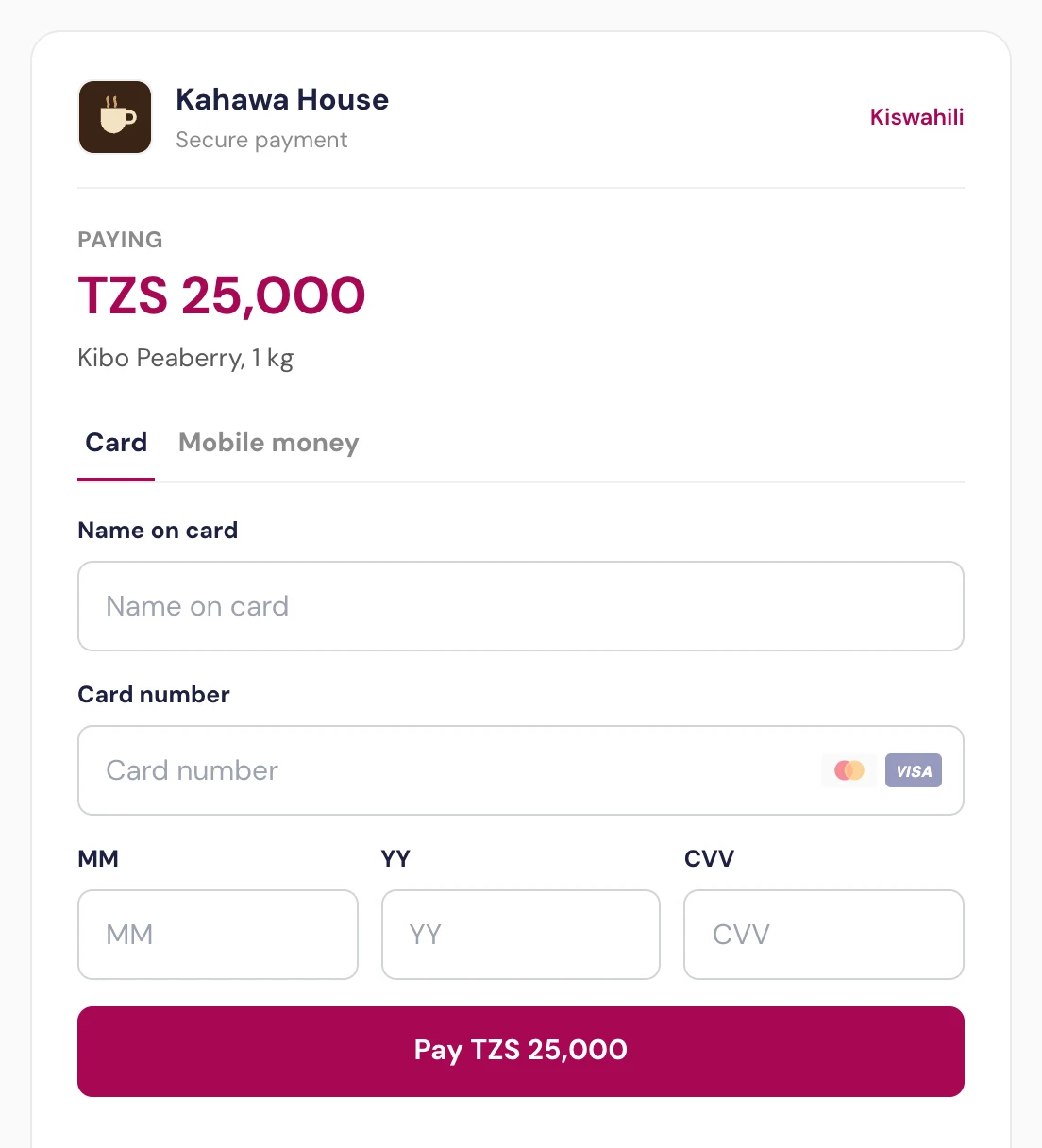
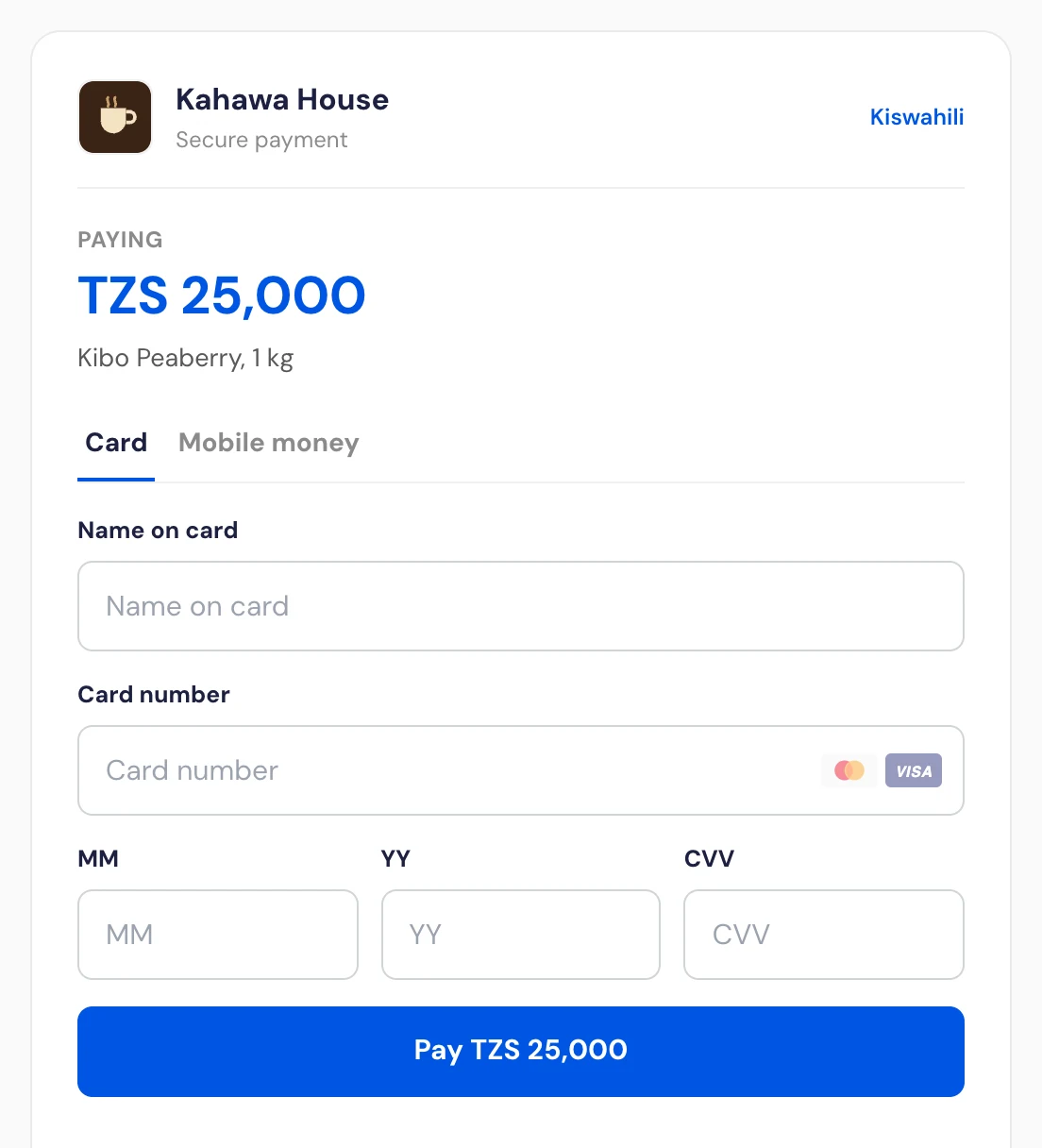
#0055E2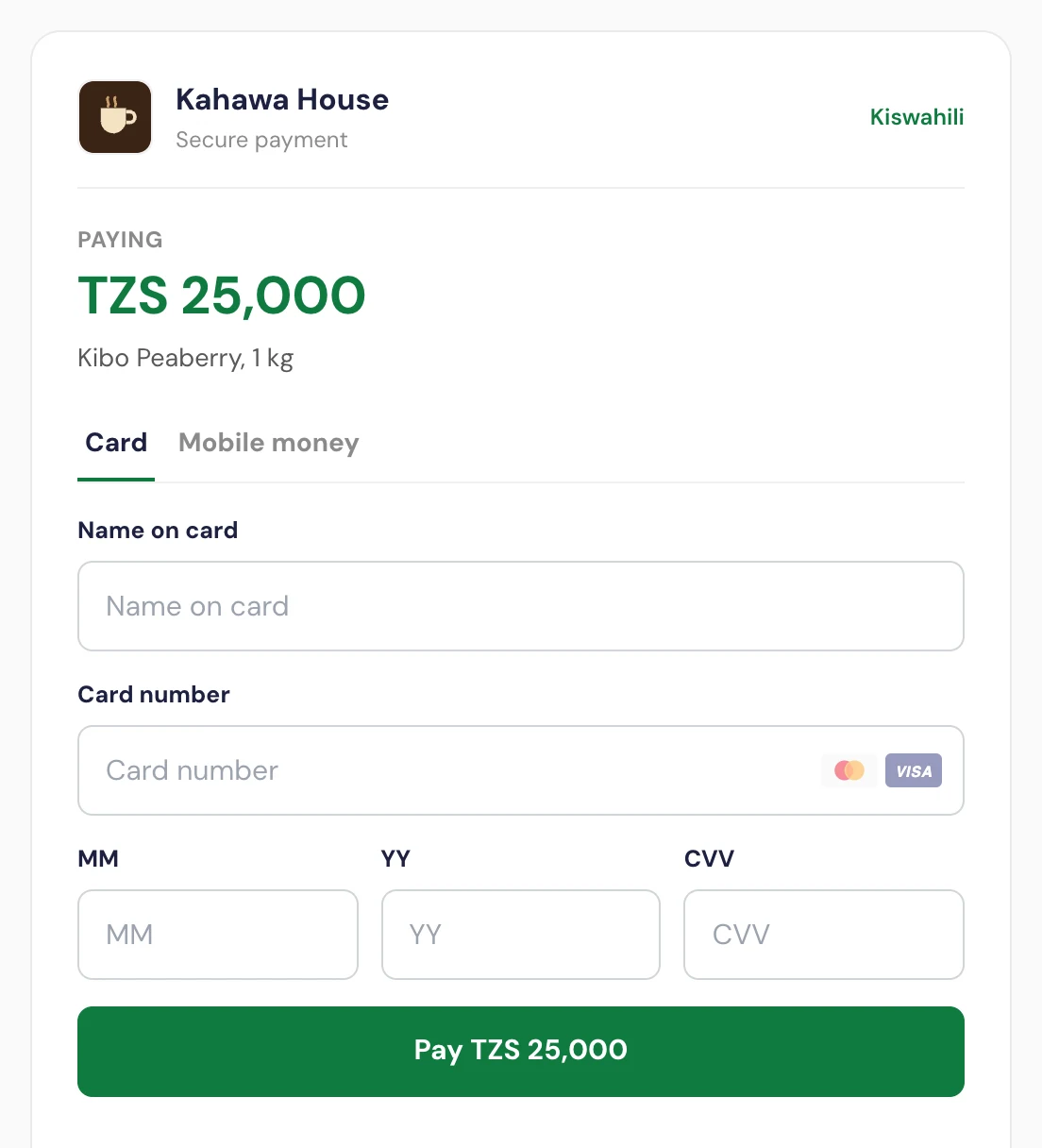
#0F7B3F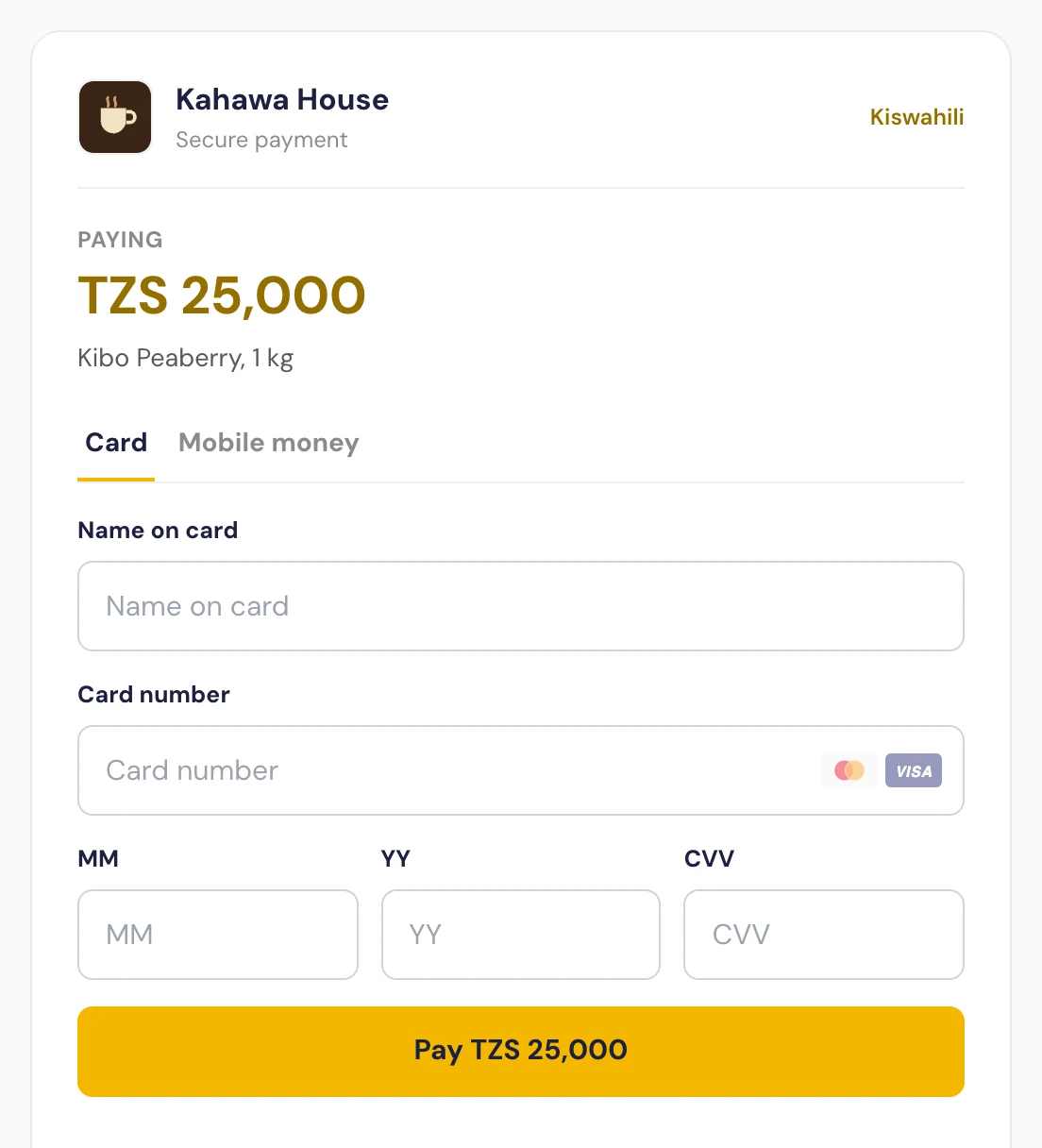
#F5B700: a light colourAny colour is safe to use. The checkout keeps it readable for you:
- Text on a button in your colour is white or navy, whichever reads better. The yellow example above gets navy text.
- Text in your colour on white (the amount and the links) uses a deeper shade of it when the colour itself is too light to read. In the yellow example the amount is a dark gold.
So use your real brand colour, not a darker version of it.
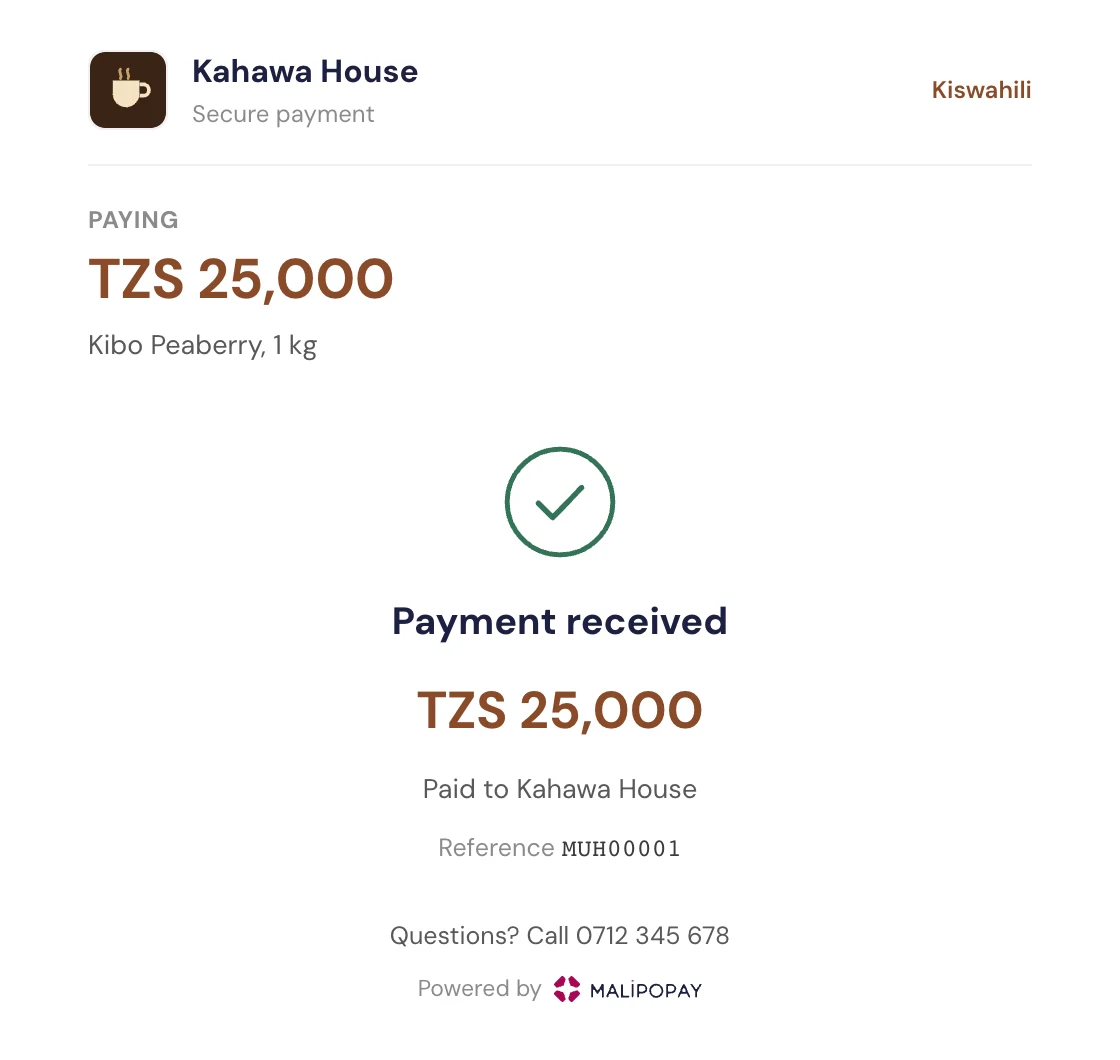
To remove the Powered by Malipopay line as well, see White label.
2. Send the payer to the checkout
By link
https://app.malipopay.co.tz/c/{checkoutId}?amount=25000&order=ORDER-42
| Parameter | Meaning |
|---|---|
amount | Whole TZS. At least 100. Ignored when the checkout has a fixed amount. Leave it out to let the payer type it, if the checkout allows that. |
order | Your order id, up to 100 characters. Comes back on the payment as customerReference. See One order, one payment. |
currency | TZS, the only currency accepted. |
description | A line shown under the amount. |
name, phone, email | The payer's details, so the page does not ask for them. |
lang | en or sw. The payer can switch on the page. |
returnUrl, exp, sig | Signed links only. See Signed links. |
With an amount in the link the payment is created in the background and the page opens straight on the payment form. Without one the payer enters the amount, their name and their phone number first.
Inside your page
Load the script once, then mount the checkout into an element. It is an iframe that grows to fit its content, and it takes the whole screen while the bank's 3-D Secure page is up.
<script src="https://app.malipopay.co.tz/embed/checkout.js"></script>
<div id="pay"></div>
<script>
  Malipopay.checkout.mount({
    integration: 'YOUR_CHECKOUT_ID',
    container: '#pay',
    amount: 25000,
    order: 'ORDER-42',
    onSuccess: (result) => {
      // result: { reference, status, receiptUrl, redirectUrl }
      window.location.href = '/thanks?order=ORDER-42';
    },
    onCancel: ({ reference }) => {
      console.log('payer gave up', reference);
    },
  });
</script>
The checkout only frames on the sites you listed under Your website addresses. Malipopay serves it with a Content-Security-Policy: frame-ancestors header naming those sites, so the browser refuses to show it anywhere else.
As a popup
const popup = Malipopay.checkout.open({
  integration: 'YOUR_CHECKOUT_ID',
  amount: 25000,
  order: 'ORDER-42',
  onSuccess: (result) => { window.location.href = '/thanks'; },
  onClose: () => { /* closed without paying */ },
});
// popup.close() closes it from your code.
Script reference
| Call | What it does |
|---|---|
Malipopay.checkout.mount(options) | The checkout inside options.container. Returns { destroy() }. Pass fullPage: true to send the browser to the full page instead. |
Malipopay.checkout.open(options) | The checkout in a popup. Returns { close() }. |
Malipopay.checkout.url(options) | The plain link, for a redirect or an <a href>. |
Options are the link parameters above written as integration, amount, order, currency, description, name, phone, email, lang, returnUrl, exp and sig, plus:
| Option | Meaning |
|---|---|
onSuccess(result) | The payment succeeded. If you leave it out, the browser goes to result.redirectUrl. |
onCancel(info) | mount only: the payer gave up. |
onClose(info) | open only: the payer closed the popup. |
baseUrl | Override the checkout host (for example a proxy). |
Embedding without the script
If you frame https://app.malipopay.co.tz/c/{checkoutId}/embed yourself, the page talks to its parent with window.postMessage. Accept a message only when event.origin is the checkout's origin and event.data.source is malipopay-checkout:
type | Data | Meaning |
|---|---|---|
resize | height | The content height, for sizing the iframe. |
expand | 3-D Secure has started: give the frame the whole screen. | |
result | reference, status, receiptUrl, redirectUrl | The payment finished. |
cancel | reference | The payer gave up. |
3. After the payment
Where the payer goes. When the payment succeeds the payer goes to your return address with these parameters added (your own query is kept):
https://shop.example.com/thanks?ref=ML300927&status=successful&receipt=https%3A%2F%2Fapp.malipopay.co.tz%2Fr%2F...&order=ORDER-42
A payer who gives up and chooses to go back lands on the same address with status=cancelled. A checkout with no return address shows the Malipopay receipt instead.
The return address comes from the checkout's settings, or from a signed link. The page never takes it from its own address bar, so an unsigned returnUrl in a link is ignored.
Always confirm on your server
The parameters on your return address, and the onSuccess callback, are what the payer's browser saw. Before you deliver, confirm on your server with the payment.confirmed webhook or GET /api/v1/payment/verify/{reference}. The webhook carries your order as customerReference.
One order, one payment
A checkout keeps one payment per order. Opening the checkout again for the same order (a refresh, a double click, the payer coming back later) continues that payment instead of charging twice. Asking for the same order with a different amount is refused with 409 and code 4069. Send a new order id for a new purchase.
4. Signed links
Turn on Only accept signed links when the payer must not be able to change the amount, the order or where they are sent afterwards. Your server signs those fields with the checkout's signing secret, and the checkout refuses a link whose fields do not match (code 4064) or that carries no signature (code 4063).
The signature is HMAC-SHA256 in lowercase hex over the fields joined by |, in this order:
{checkoutId}|{amount}|{currency}|{order}|{returnUrl}|{exp}
- Write each field exactly as it goes in the link. A field you leave out is an empty string, and its
|stays. amountis whole TZS.expis a Unix time in seconds, at most 30 days ahead. A signed link withoutexpnever expires.- On a signed link,
returnUrlmay name its own return address, as long as it is on one of the checkout's website addresses.
Then add sig (and exp, if you used one) to the link.
Node.js
const crypto = require('crypto');

function signedCheckoutLink({ checkoutId, secret, amount, order, returnUrl = '', exp = '' }) {
  const currency = 'TZS';
  const canonical = [checkoutId, amount, currency, order, returnUrl, exp].join('|');
  const sig = crypto.createHmac('sha256', secret).update(canonical).digest('hex');
  const url = new URL(`https://app.malipopay.co.tz/c/${checkoutId}`);
  url.searchParams.set('amount', String(amount));
  url.searchParams.set('currency', currency);
  url.searchParams.set('order', order);
  if (returnUrl) url.searchParams.set('returnUrl', returnUrl);
  if (exp) url.searchParams.set('exp', String(exp));
  url.searchParams.set('sig', sig);
  return url.toString();
}

const link = signedCheckoutLink({
  checkoutId: 'YOUR_CHECKOUT_ID',
  secret: process.env.MALIPOPAY_CHECKOUT_SECRET,
  amount: 25000,
  order: 'ORDER-42',
  exp: Math.floor(Date.now() / 1000) + 3600, // valid for an hour
});
PHP
$checkoutId = 'YOUR_CHECKOUT_ID';
$secret = getenv('MALIPOPAY_CHECKOUT_SECRET');
$amount = 25000;
$currency = 'TZS';
$order = 'ORDER-42';
$returnUrl = '';
$exp = time() + 3600;

$canonical = implode('|', [$checkoutId, $amount, $currency, $order, $returnUrl, $exp]);
$sig = hash_hmac('sha256', $canonical, $secret);

$query = ['amount' => $amount, 'currency' => $currency, 'order' => $order, 'exp' => $exp, 'sig' => $sig];
$link = "https://app.malipopay.co.tz/c/{$checkoutId}?" . http_build_query($query);
Python
import hashlib, hmac, os, time
from urllib.parse import urlencode

checkout_id = "YOUR_CHECKOUT_ID"
secret = os.environ["MALIPOPAY_CHECKOUT_SECRET"]
amount, currency, order, return_url = 25000, "TZS", "ORDER-42", ""
exp = int(time.time()) + 3600

canonical = "|".join([checkout_id, str(amount), currency, order, return_url, str(exp)])
sig = hmac.new(secret.encode(), canonical.encode(), hashlib.sha256).hexdigest()

query = {"amount": amount, "currency": currency, "order": order, "exp": exp, "sig": sig}
link = f"https://app.malipopay.co.tz/c/{checkout_id}?{urlencode(query)}"
Pass the same sig and exp to Malipopay.checkout.mount or open when you embed a signed checkout.
White label
By default the checkout shows "Powered by Malipopay". White label removes every Malipopay mark from your checkout pages for TZS 50,000 a month, taken from your Malipopay wallet.
- The business owner asks for it in Settings > Checkout. The dashboard shows your wallet balance first, and asks you to top up if it is short.
- When you confirm, the first month is held from your wallet. It is not charged yet.
- Malipopay reviews the request. If it is approved, the held month is charged and white label starts that day. If it is not approved, or you withdraw the request while it waits, the held month goes back to your wallet.
- After that the month is taken from your wallet on the same day every month. If the wallet cannot cover a renewal, the brand stays hidden for a 7-day grace period while it is retried, then comes back until you pay. Stop at the end of this month ends it when the paid month closes.
Status codes
| HTTP | Code | Meaning |
|---|---|---|
| 404 | 4055 | The checkout does not exist or is switched off. |
| 200 | 4060 | Checkout fetched. |
| 201 | 4061 | Payment ready. |
| 200 | 4062 | This order already has a payment; continuing it. |
| 400 | 4063 | This checkout only accepts links signed by the merchant. |
| 400 | 4064 | The link was changed or has expired. Ask the merchant for a new link. |
| 400 | 4065 | Enter the amount to pay. |
| 400 | 4066 | The amount is not valid for this checkout (below 100, or not TZS). |
| 400 | 4067 | Enter your name and phone number. |
| 400 | 4068 | This payment method is not available on this checkout. |
| 409 | 4069 | This order already has a payment for a different amount. |
| 200 | 4070 | Payment result fetched. |
| 402 | 4081 | White label: the wallet does not hold enough for the monthly fee. |
Testing
Create a checkout on the UAT dashboard (demo.malipopay.co.tz), add http://localhost:<port> to its website addresses, and use the UAT embed script. Card payments on UAT use the test cards in Testing Card Payments; no money moves. A checkout on production charges real cards and real mobile money accounts.